
Keep the RAWs that matter.Reclaim the rest of your drive.
Rawpeg lets you cull a shoot at JPEG speed. Mark the few frames worth a RAW, press Apply, and every other RAW is set aside, freeing gigabytes without risking a single file.
$9.99 one-time purchase · macOS & Windows · no subscription
RAW+JPEG fills drives fast. Most of those RAWs never get opened.
Shooting both formats is a great safety net, until the drive fills up. Every frame carries a RAW several times the size of its JPEG, and most of those RAWs will never be opened. Deleting them by hand is slow and nerve-racking. Rawpeg makes it a quick pass with the arrow keys.
One trip, before and after
Example based on the 40 MP Tokyo shoot in our screenshots, at about 40 MB per compressed RAW. Your numbers will vary with your camera and how picky you are.
Mark the keepers. That’s it.
Every shot starts as “JPEG only”, so you only touch the frames that deserve a RAW.
- 1
Open a shoot
Point Rawpeg at a folder or card dump. It pairs every JPEG with its RAW and sorts them by capture time, without writing anything.
- 2
Flip through and mark
← → to move, Space to keep the RAW, X to reject the whole shot. Add 1–5 stars and 6–0 color tags as you go.
- 3
Apply
Review a summary of exactly what will move, then press Apply. Unwanted RAWs go to a holding folder, and Undo Apply reverses it.
- 4
Delete
Check your keepers in your editor, then delete the
_Rawpeg_Holdingfolder yourself to free up the storage those RAWs were using.
Big photo, small chrome.
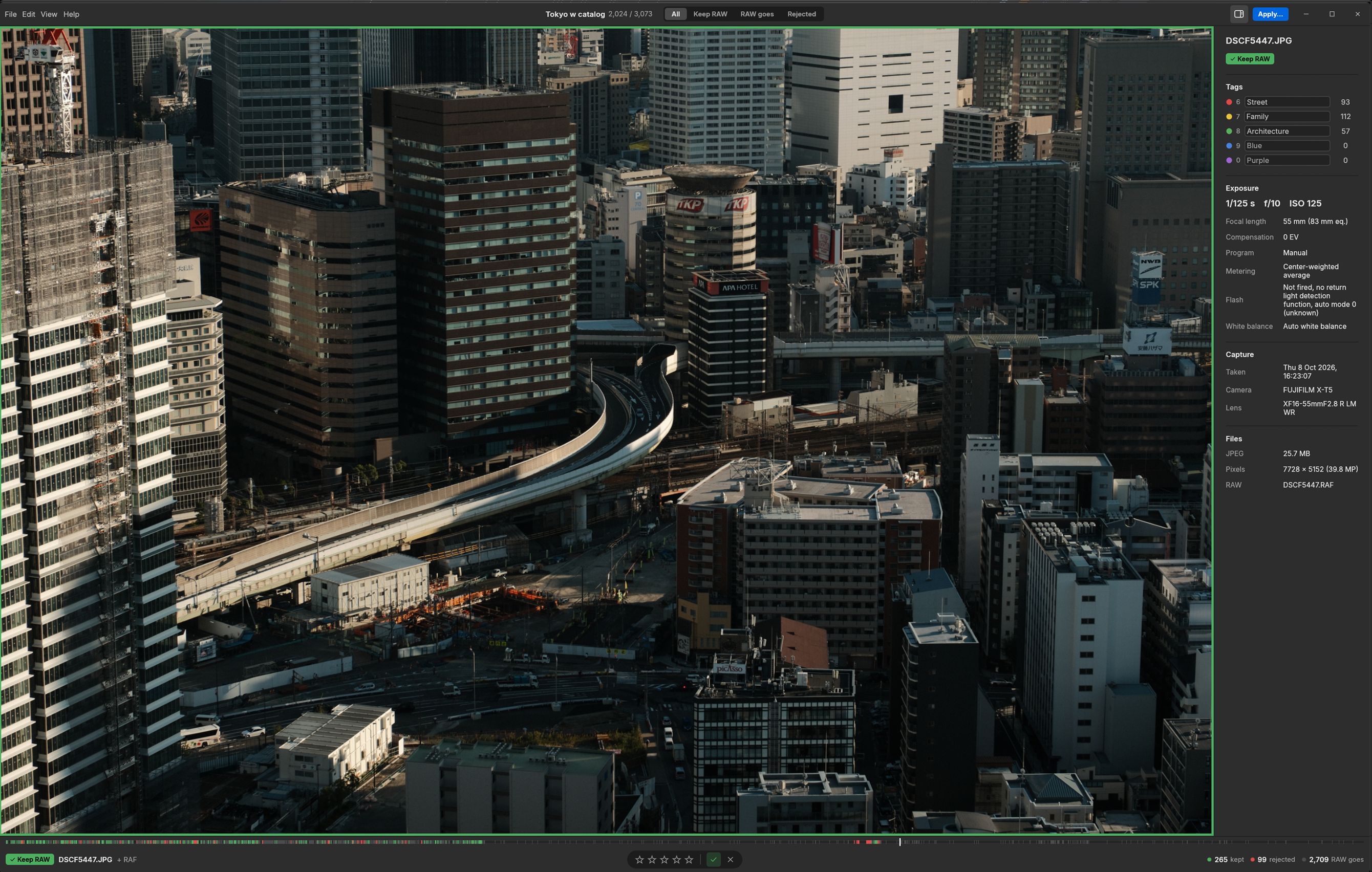
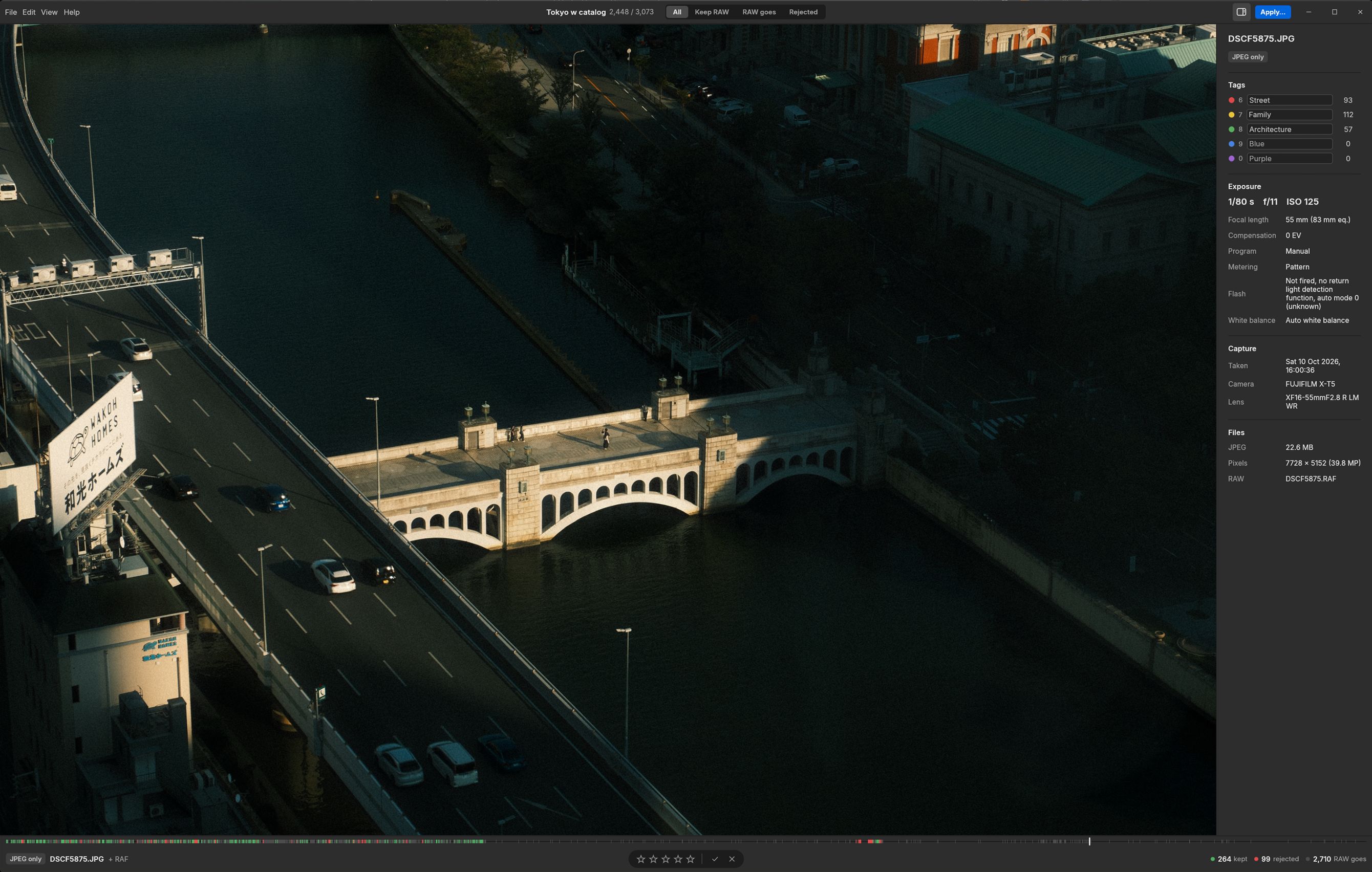
A large, uncluttered view keeps your attention on the picture. Strong color signals show what you’re keeping at a glance, and a filmstrip along the bottom shows your progress through the shoot.
Fast as JPEG
Previews decode in the background and the next shots are prefetched, so arrowing through thousands of frames never stalls.
Clear signals
Kept shots glow green and rejects glow red, in the photo border, the badge and the filmstrip.
Stars and color tags
Rate with 1–5 and tag with 6–0. Name your tags (“Street”, “Family”) and see counts as you go.
Filters
Press F to cycle through All, Keep RAW, RAW goes and Rejected, or filter by tag to double-check before you apply.
EXIF at a glance
Shutter, aperture, ISO, focal length, lens, camera and file sizes, in a sidebar you can hide with I.
Pick up where you left off
Decisions are saved as you work. Close the app mid-shoot and reopen the folder later to carry on.
Lightroom & Capture One
Optional XMP export carries your stars, color labels and tag names into Lightroom Classic and Capture One.
Mac and Windows
A fast native app on both, with the system menu bar on Mac, ⌘/Ctrl shortcuts, and light and dark themes.
Nothing is ever deleted. Ever.
Your RAWs are irreplaceable, so Rawpeg treats them that way. The one thing it does to your photos is move them, and every move can be undone.
- Moves, never deletes. Unkept RAWs go to
_Rawpeg_Holdinginside the folder you opened, not to the trash. - One-click Undo Apply. Every Apply writes a manifest, so Rawpeg can put every file back exactly where it was.
- Read-only until you say so. Opening and browsing a shoot never writes, renames or touches a photo.
- Sidecars travel with their photos. XMP files move only together with their photo, and existing ones are never overwritten.
- You have the final say. Check the result in your editor, then empty the holding folder yourself when you’re sure.
Works with your camera.
Rawpeg recognises the RAW files of every major camera maker, alongside .jpg and .jpeg.
- Canon
.cr3.cr2.crw - Nikon
.nef.nrw - Fujifilm
.raf - Sony
.arw.srf.sr2 - Panasonic / Lumix
.rw2.raw - OM System / Olympus
.orf - Pentax
.pef.dng - Leica
.rwl.dng - Hasselblad
.3fr.fff - Phase One
.iiq - Sigma
.x3f - Ricoh, phones & others
.dng - Samsung (legacy)
.srw - Minolta (legacy)
.mrw
Your photos stay on your computer.
No account, no analytics, no telemetry, and no internet connection. Rawpeg doesn’t contain a single line of networking code. Read the privacy policy.
Does Rawpeg delete my photos?
No. Rawpeg never deletes, copies, overwrites or edits a photo. When you press Apply, the RAWs you didn’t keep are moved into a _Rawpeg_Holding folder inside the folder you opened. Undo Apply moves them all back. When you’re sure, you empty the holding folder yourself.
Do I have to shoot RAW+JPEG?
That’s what Rawpeg is built for. It pairs each JPEG with its RAW by file name and lets you cull on the JPEG, which loads far faster than decoding a RAW. JPEG-only shots work fine, and RAW-only files are left untouched.
What happens to the JPEGs?
They stay where they are. By default every shot keeps its JPEG and loses its RAW. Press Space to keep the RAW as well, or X to set aside both files of a shot you don’t want at all.
Does it work with Lightroom or Capture One?
Yes. Turn on XMP export and Rawpeg writes a new sidecar next to each RAW you keep, so your stars, color labels and tag names show up when you import into Lightroom Classic or Capture One. Existing sidecars are never overwritten.
Is it a subscription?
No. Rawpeg is a one-time purchase of $9.99 from the Mac App Store or the Microsoft Store. The Microsoft Store version includes a free trial.
Does Rawpeg upload anything or need an account?
No. The app has no accounts, analytics or tracking, and it never connects to the internet. Your photos never leave your computer. See the privacy policy.
Which cameras are supported?
Any camera that writes a RAW+JPEG pair in one of the formats listed above, including Canon, Nikon, Fujifilm, Sony, Panasonic, OM System, Pentax, Leica, Hasselblad, Phase One, Sigma and DNG.
Free up your drive this weekend.
Cull your last trip with Rawpeg. Mark the keepers and let the rest of the RAWs go.
$9.99 one-time purchase · macOS & Windows · no subscription